
Created by Drizzza

Spin up local Rust servers to test your maps…in one click

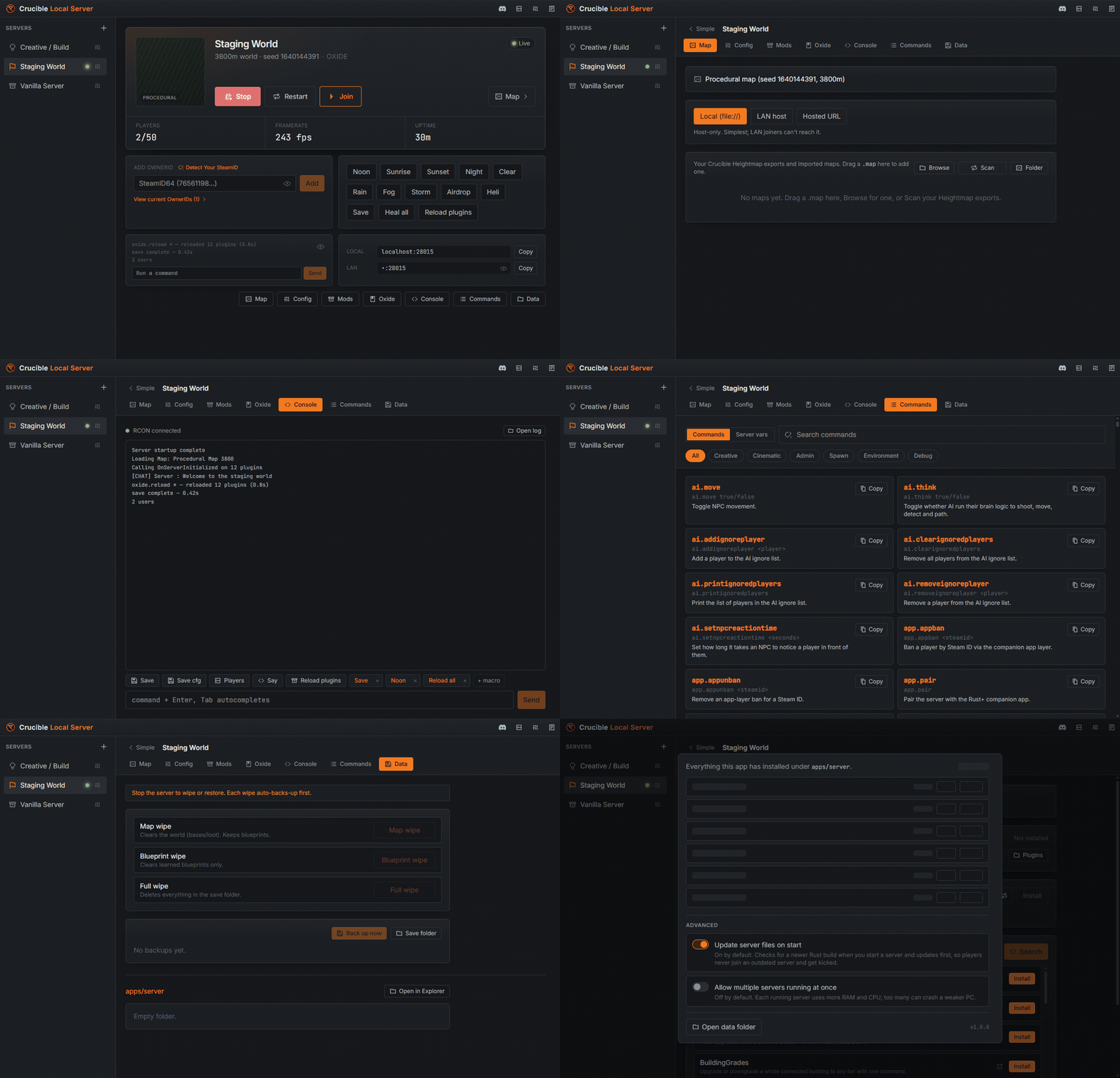
A tour of Crucible Local Server: the live server dashboard, config, mods and plugins, console, searchable command reference, and data tools

How it works

Install

Get the Rust server.

Open Local Server in Crucible and it installs the Rust dedicated server for you with SteamCMD, then keeps it up to date on demand.
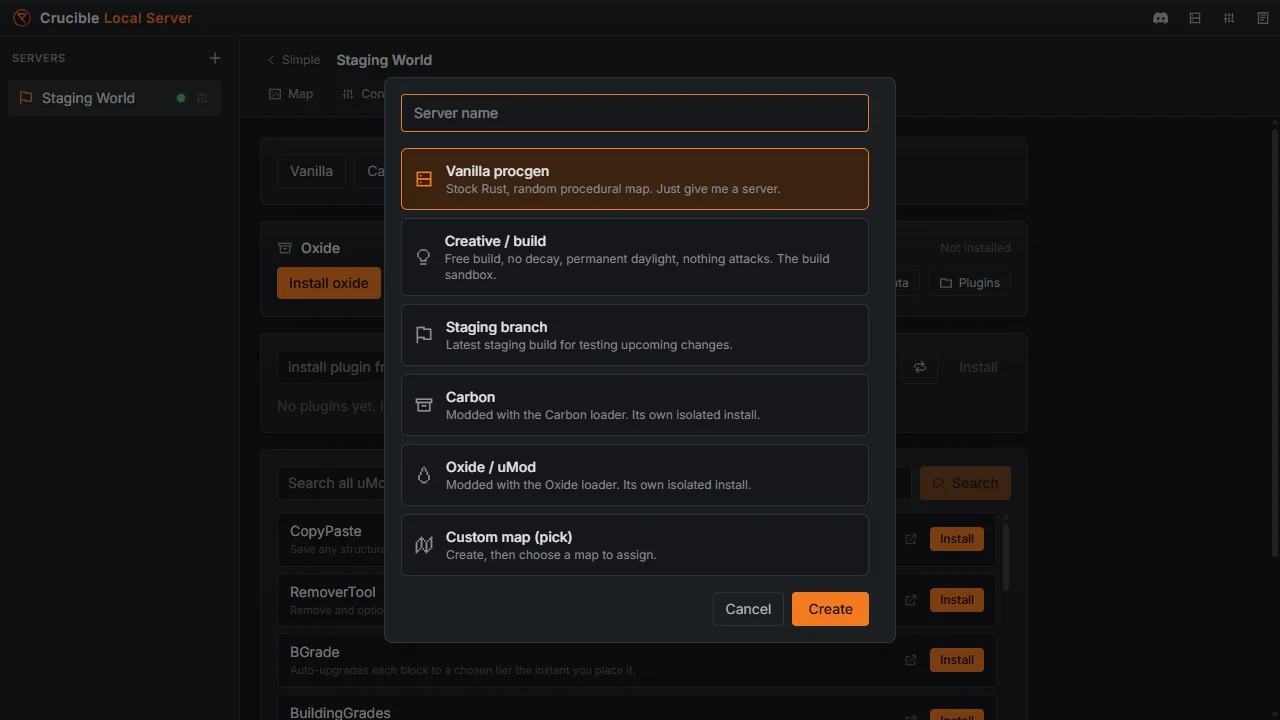
Creating a new Rust server in Crucible Local Server from a preset: vanilla procgen, creative build, staging, Carbon or Oxide
Configure

Create and start a world.

Pick a size and settings, drop in a map, and hit start. Edit server.cfg, add Carbon or Oxide, and watch the live console.
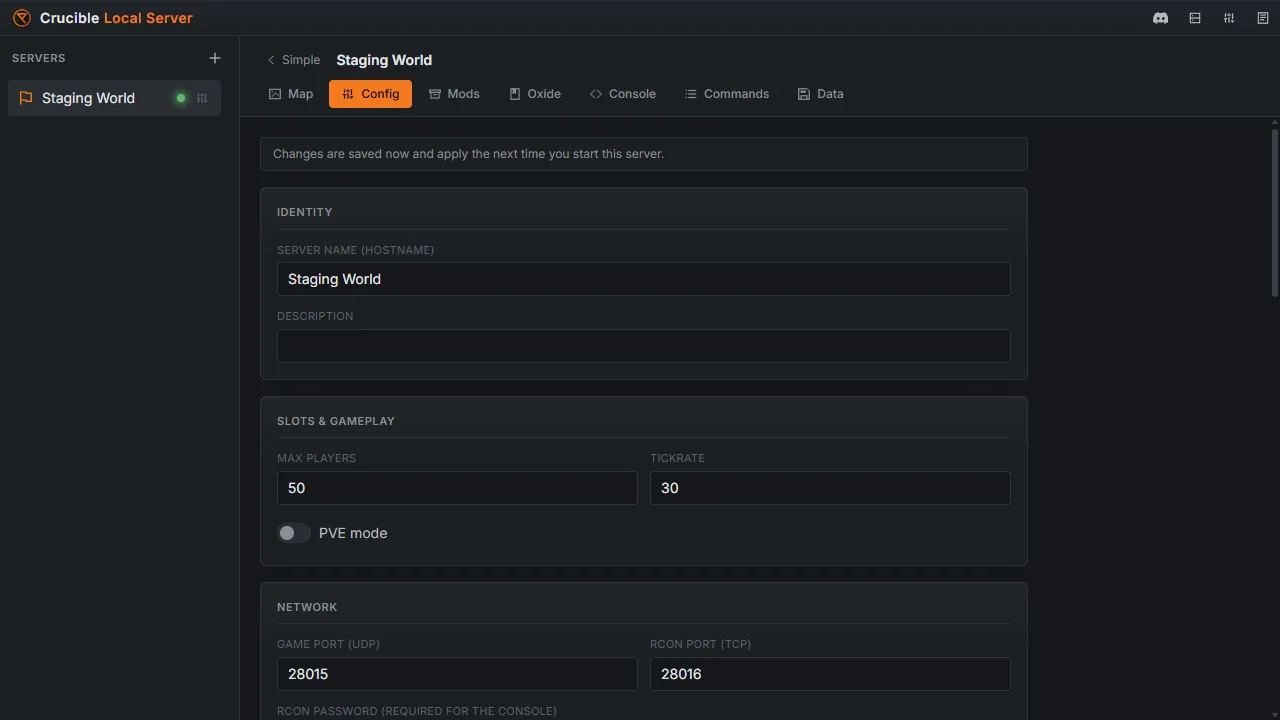
The Config tab in Crucible Local Server with the server name, max players, tickrate, ports and other server.cfg settings
Play

Connect and test in-game.

Join at localhost, host a friend on LAN, and walk your map for real. Wipe it clean and go again in seconds.
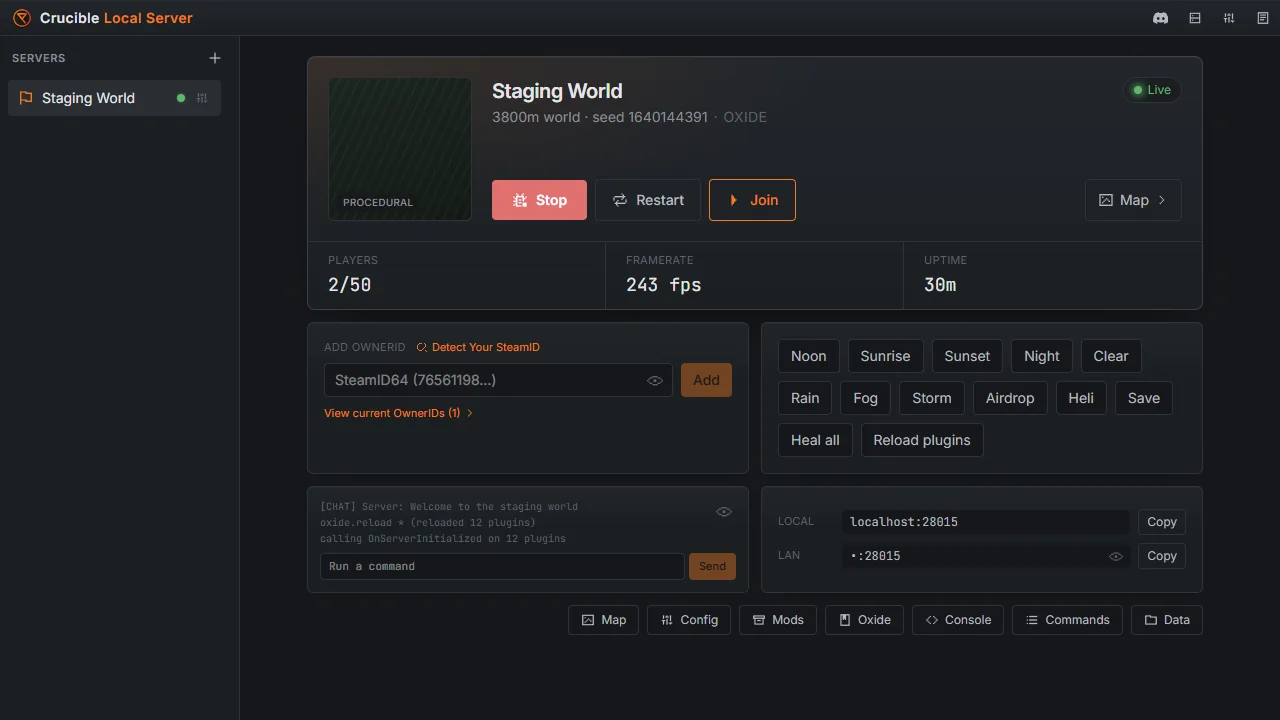
A live Crucible Local Server world with a one-click Join button, player count, framerate and uptime, and localhost and LAN connect strings
Mods & plugins

Carbon, Oxide and plugins in a click.

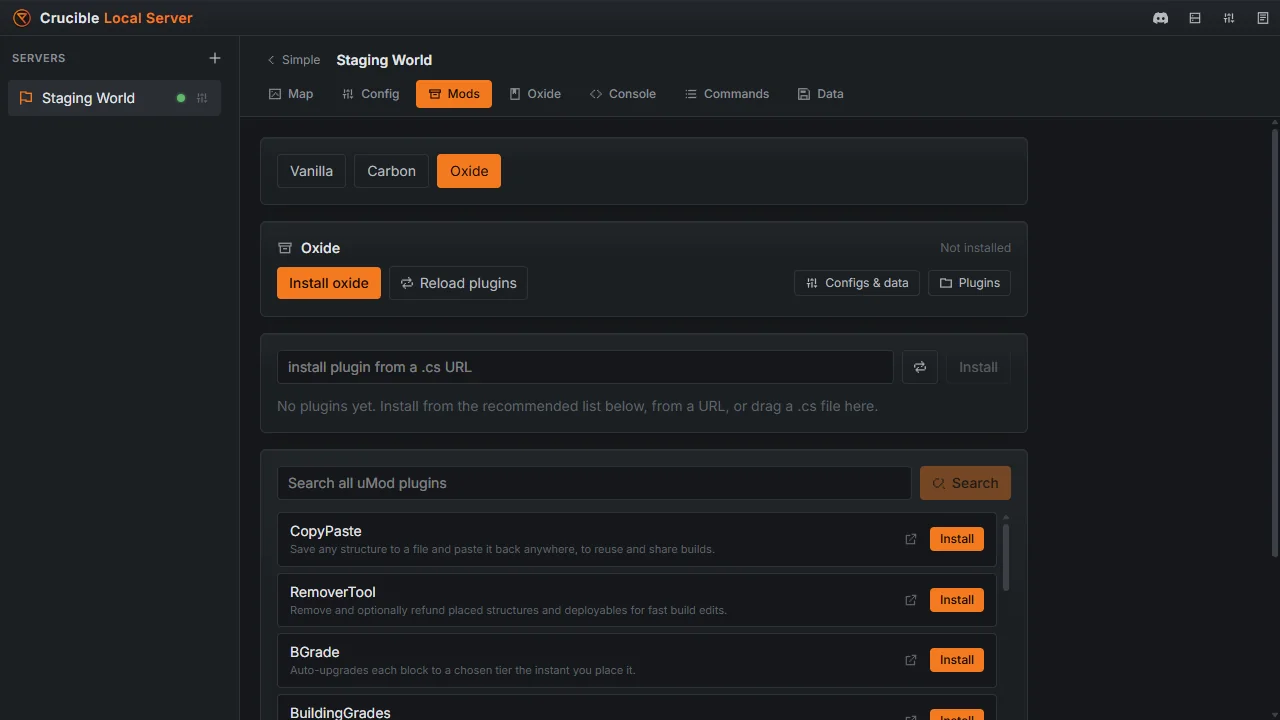
Install Carbon or Oxide into an isolated copy of the server, then browse and add plugins without leaving the app. Enable, disable, edit each plugin's config, or drag a .cs file straight into the plugins folder. RustEdit's extension loads too, so custom-data maps run exactly as built.
Read the docs
The Mods tab in Crucible Local Server with the Carbon and Oxide stack picker, reload-plugins and configs-and-data buttons, and a browsable plugin list with one-click install
Console & commands

A live console and every command, searchable.

Run commands live over web RCON with a full log, command history, saved macros and tab-complete. A built-in reference lists hundreds of admin, creative and cinematic commands plus every server variable, ready to search and copy for in-game use.

Read the docs
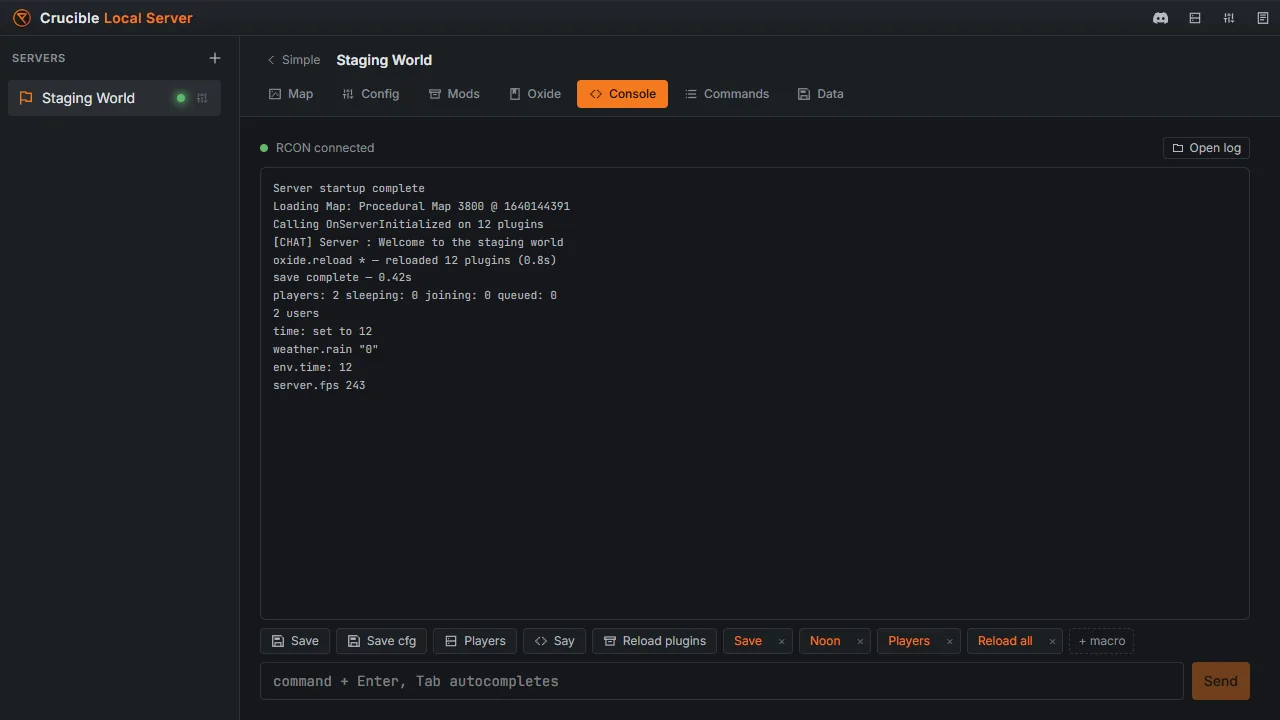

The live web RCON console in Crucible Local Server streaming server output, with quick-action buttons, saved macros and a command input with tab-complete
Crucible Local Server

Get Crucible Local Server

It's free. Download the Crucible launcher and open Local Server to start running Rust servers locally.

Tutorials & demos

View channel

Get updates & support on Discord

Build news, bug reports, and direct help with the tools. Drop in, say hi.

FAQ

What is Crucible Local Server?
A free Windows app inside the Crucible launcher for running local Rust dedicated servers. It installs the Rust server with SteamCMD, then lets you configure, start, map, mod and wipe disposable test worlds right on your own machine.

It's the natural downstream of Crucible Heightmap: generate a map, then load it onto a local server and walk it in-game.
Is it free?
Yes. Crucible Local Server ships free with the Crucible launcher. Download Crucible, open Local Server, and you're in.
Is this for hosting my public community server?
It's built as a testing and staging tool for your own machine: map testing, plugin development, gameplay checks and recording. You can port forward to let others join your local server publicly. Just know a weaker PC will struggle with it, and running a server 24/7 eats a lot of your machine's resources. For a proper always-on community server, use a dedicated host.

🌲 Get 30% OFF your Rust server hosting with Pine Hosting. Use code DRIZZZA here - https://pine.host/drizzza
Can I load maps from Crucible Heightmap?
Yes. Load a Crucible .map or heightmap, host it locally, and walk it in-game. You can hand a map straight from Crucible Heightmap to a running local server to test how it plays.
Do I need to install the Rust server myself?
No. Crucible Local Server installs and updates the Rust dedicated server for you with SteamCMD, with a live progress bar and build info.
Does it support Carbon, Oxide and plugins?
Yes. Install Carbon or Oxide and load plugins into your test world, including the RustEdit extension for custom-data maps. One modding framework runs per install.